


10 Tips for Amazing Product Photo Edits to Increase Sales
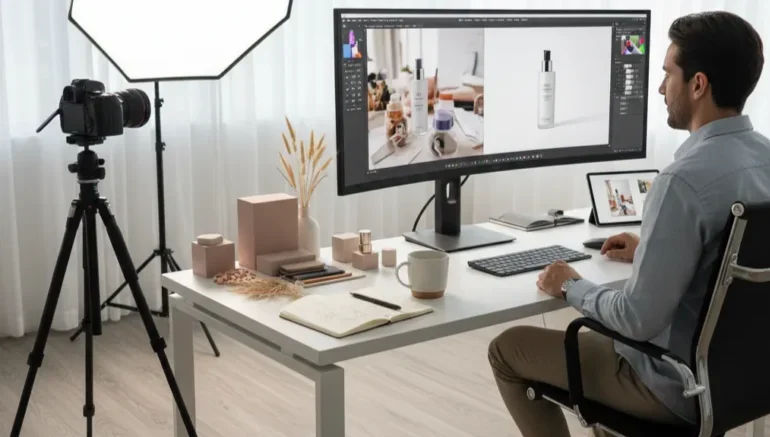
If you want your products to sell faster, the way they look online is very important. Amazing product photo grab attention and make buyers curious. Even small edits can make your product look more professional and inviting. With better images, customers can understand your product easily and feel confident buying it. You don’t need complicated tools or skills to make your photos look good. Simple edits can have a big impact on your sales.
Good product photos can help your online store stand out from competitors. They make your products look trustworthy and high quality. Editing photos carefully also keeps your store looking neat and consistent. This article shares 10 tips for amazing product photo edits to increase sales. Each tip is easy to follow and can improve your product images right away. Even beginners can try these tips and see results.
Here’s Some 10 Tips for Amazing Product Photo Edits to Increase Sales
 Check Your Image Quality
A clear product photo is the first step to making your products attractive. Blurry or low quality images can make even a great product look cheap. Customers often judge products based on the photos they see online, so it’s important to make every photo sharp and clean. Simple adjustments like using a tripod or choosing the right camera settings can make a big difference. When your photos are clear, customers can see details like texture and color.
Tips for improving image quality:
- Camera choice: Use a camera or phone with good resolution for sharp product photos.
- Steady shots: A tripod or flat surface prevents shaky or blurred images.
- Avoid zooming: Digital zoom can reduce clarity, so move closer instead.
- Check edges: Make sure all parts of the product are fully visible in the frame.
- Review before editing: Only edit clear images for the best results.
Keep Colors Realistic for Product Photos
Colors in product photos should reflect the real product accurately. Customers rely on images to know what they are buying, so colors that are too bright or dull can cause confusion. Adjusting the color balance helps make the photo closer to reality. Always compare your edited photo with the real product to ensure accuracy. Accurate colors also improve customer trust and reduce the risk of returns.
 When editing product photos, avoid filters that drastically change color tones. Even small adjustments to saturation or temperature can help make the product look true to life. Realistic colors give customers confidence that what they see online is what they will receive. Highlighting the natural colors can make details stand out, making the product more appealing. Consistency in color across multiple photos also strengthens your brand’s image. Overall, realistic colors improve both the appearance and credibility of your product photos.
Remove Unnecessary Background Distractions
A clean background helps your product photos stand out. Busy or messy backgrounds can distract viewers and take attention away from the product itself. Simple, neutral backgrounds keep the focus on what matters most. Even small changes, like removing extra objects or smoothing the background, can improve the photo’s appeal. Clear backgrounds make your products look more professional and trustworthy.
Guidelines to remove unnecessary background distractions:
- Plain backgrounds: Use white or neutral colors to make products pop.
- Blur distractions: Slight blur can keep the focus on the product.
- Remove unrelated objects: Only include items that add value.
- Check corners: Ensure no unwanted shadows or reflections appear.
- Consistency: Keep backgrounds similar across all product photos for a uniform look.
Adjust Lighting Carefully for an Amazing Product Photo
 Lighting plays a major role in product photos. Poor lighting can hide important details or make colors look different. Soft, even lighting shows the product clearly and makes it look appealing. Natural light works well, but you can also use lamps or LED lights for indoor shots. Adjusting brightness, contrast, and shadows during editing helps bring out details. Proper lighting can make textures, shapes, and features more visible to buyers.
Good lighting also affects the mood of your product photos. Bright, well balanced light makes the product look inviting, while harsh shadows can confuse the viewer. When customers see clear and detailed product photos, they feel more confident in buying. Editing tools allow you to correct small lighting issues and maintain consistency across images. Lighting adjustments can also help highlight key features without changing the product. Overall, careful lighting ensures your product photos look professional and attractive.
Crop and Frame Properly for an Amazing Product Photo
Framing your product photos correctly ensures that the product is the main focus. Poor framing or uneven cropping can make images look messy. A properly framed product photo draws attention to the item and shows all important details. Centering the product and leaving enough space around it creates a balanced look. Consistent framing across your images also strengthens your brand presentation. Well framed product photos give a professional and organized impression.
 Best practices to crop and frame product photos:
- Center the product: Keep it fully visible and avoid cutting edges.
- Maintain balance: Leave equal space around the item for a clean look.
- Consistent style: Use the same framing style for all product photos.
- Highlight the product: Avoid extra items that could steal focus from the main product.
Fix Imperfections for Product Photos
Small imperfections in amazing product photo can reduce the perceived quality of your products. Dust, scratches, or uneven surfaces are common problems. Editing can remove these without changing the product itself. Be careful not to over edit, as customers want the product to look real. Correcting imperfections improves the overall appearance and professionalism of your product photos. Small fixes can make a big difference in how buyers perceive your brand.
Editing tools let you make subtle adjustments to your product photos. You can remove dust spots, smooth minor scratches, and fix uneven lighting. Maintaining a natural look is important so that customers know exactly what they are buying. Proper editing also highlights important features while removing distractions. Consistently fixing minor flaws across all photos keeps your store looking polished. By making these edits, you increase the chances of attracting and retaining buyers.
Keep Consistency Across Photos
 Consistency in amazing product photo are important for building a strong brand image. Using different backgrounds, lighting, or editing styles can confuse customers. Maintaining a similar style across all images makes your store look organized and professional. Customers notice consistency and are more likely to trust your products. Even small changes like photo size or cropping can affect overall appearance. Consistent product photos make your store visually appealing and reliable.
Techniques for consistent product photos:
- Backgrounds: Use the same color or style for all product photos.
- Lighting: Keep brightness and shadows similar across images.
- Photo size: Maintain the same aspect ratio and dimensions.
- Editing style: Apply similar color corrections and adjustments.
- Product placement: Place items in the same position for a uniform look.
Highlight Key Features for Product Photos
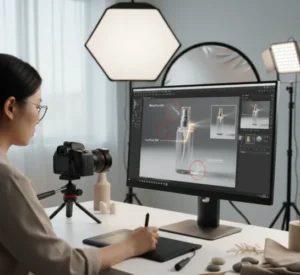
Showing important features in amazing product photos helps buyers understand why they should choose your product. Focus on unique qualities like texture, design, or special functions. Close-up shots can reveal details that are not visible in regular photos. Combining close-ups with full views allows customers to see the product clearly. Highlighting features improves customer confidence and helps them make better buying decisions. Well edited product photos make details stand out without misleading the viewer.
Using product photos to show features also reduces the chances of returns. When customers can see exactly what they are buying, they know what to expect. Multiple angles and shots can showcase the product’s functionality. Small text or arrows can point out key details without cluttering the image. Editing should improve visibility while keeping the product realistic. Overall, highlighting features with clear product photos improves engagement and sales.
Use Editing to Correct Small Problems
Even small issues in product photos can affect how people view your products. Editing allows you to fix problems like tilted images, uneven lighting, or minor distractions. Correcting these problems makes your product photos look professional and polished. Clean photos help customers focus on the product rather than mistakes. Good editing can also create a consistent look across all images. Product photos that look neat and clear increase buyer trust and interest.
Recommendations to improve product photo quality:
- Straighten images: Fix tilted or off center photos for balance.
- Adjust contrast: Make the product details stand out more clearly.
- Remove distractions: Edit out unwanted objects or shadows.
- Color correction: Ensure colors remain natural and true to the product.
- Resize consistently: Keep all photos uniform in size and format.
Test Your Photos
 Testing your product photos ensures they look good on all devices. A photo may appear fine on a computer but not on a phone or tablet. Checking across devices helps maintain quality and consistency. Ask friends or colleagues for feedback on clarity and appeal. Small adjustments may be needed to make your product photos more effective. Testing ensures that your products look attractive and professional everywhere.
Product photos that are tested carefully improve customer experience. Seeing clear and accurate images on any device helps buyers make confident decisions. Adjustments to brightness, cropping, or alignment can improve visibility and attractiveness. Consistently reviewing photos also prevents mistakes before posting online. Well tested images increase the chances of higher engagement and sales. Always make sure your product photos display correctly to leave a positive impression.
Conclusion
If you want your products to sell faster, the way they look online is very important. Clear and attractive product photos grab attention and make buyers curious about what you are offering. Even small edits can make your products look more professional and inviting, helping customers feel confident about buying. With better images, shoppers can understand your product easily and see its quality without any doubts. You don’t need complicated tools or advanced skills to improve your photos, simple edits can make a big difference. By following the 10 tips shared in this article, your product photos can stand out, look consistent, and showcase key features effectively.