


Top 10 Ecommerce Product Photo Editing Trends
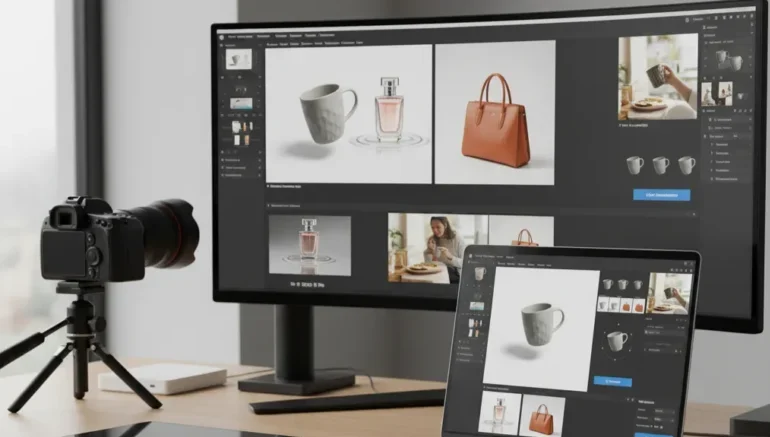
Product photo editing Trends play a major role in how shoppers perceive products when browsing online. First, product images are often the first thing customers notice, and clear, professional photos can make a product more attractive and encourage purchases. Product photo editing helps create images that look clean, neat, and trustworthy. Simple edits such as color correction, background cleaning, and removing imperfections can make a noticeable difference. Stores that invest in high quality product photo editing often experience higher sales and better customer satisfaction, as shoppers are more likely to trust products that look well-presented across all images.
Also, product photo editing Trends continue to evolve as shopper expectations change. From clean backgrounds to lifestyle visuals, modern editing techniques help sellers showcase products in the best possible way. Using consistent styles across all listings strengthens brand identity and creates a professional appearance. Detailed edits like close-ups, shadows, and reflections make products look more realistic and visually appealing. These trends also help reduce returns by giving customers a clearer understanding of what they are buying. Keeping up with current product photo editing practices gives online stores a strong competitive advantage.
Here’s some Top 10 Ecommerce Product Photo Editing Trends
Use Clean White Backgrounds
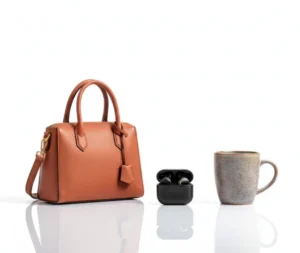 A clean white background keeps the focus on the product and creates a professional look. One of the most common product photo editing Trends, this style makes the edges smooth and shadows subtle, giving a neat appearance. This style is widely used across online stores because it highlights the product without distractions. White backgrounds also make it easier for shoppers to compare multiple products quickly. Proper editing can remove unwanted spots or imperfections and maintain consistent lighting.
Tips or guides for creating clean white backgrounds:
- Keep edges of the product sharp and smooth
- Remove background imperfections completely
- Maintain natural shadows to add depth
- Ensure color remains true to the product
- Use the same background style across all listings
- Avoid cluttered or distracting elements
Accurate Colors for Product Photo Editing
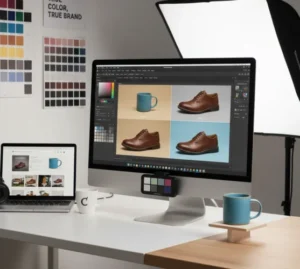 Color accuracy is important when displaying products online. Product photo editing can correct hues and tones to match the real item, preventing customer disappointment. Accurate colors help reduce returns caused by misleading photos. Brightness and contrast adjustments can make the product stand out without changing its true appearance. Maintaining consistency across multiple product shots builds trust with shoppers. Color corrected images are particularly important for clothing, accessories, and home decor.
By applying subtle changes, sellers can make the product look more appealing while staying realistic. Over saturated or artificial colors can confuse buyers and damage credibility. Using product photo editing for color accuracy make sure shoppers get a clear idea of what they are purchasing. Combining color adjustments with other trends like shadows and reflections improves the overall presentation. Retailers who pay attention to color consistency across their store often see better engagement. Clear, accurate product colors make shopping easier and more enjoyable for customers.
Shadows and Reflections
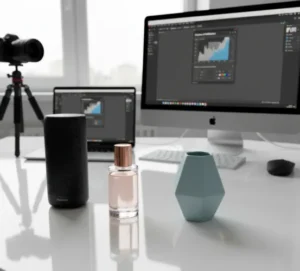
Adding shadows or reflections through product photo editing creates a sense of depth and realism. Properly edited shadows make products look as if they are resting naturally on a surface. Reflections can add a subtle visual appeal, making the image more engaging without distracting from the product. This trend is effective for electronics, shoes, and accessories. Overly harsh shadows or reflections, however, can make a photo look fake. Balanced use of these edits helps shoppers better visualize the product.
 Tips or guides for shadows and reflections:
- Use light, soft shadows for depth
- Avoid harsh or distracting reflections
- Keep edges sharp for clarity
- Position shadows naturally according to lighting
- Use reflections sparingly for realism
- Test images on different backgrounds to ensure visibility
Background Replacement for Product Photo Editing Trends
Background replacement allows products to appear in different settings without taking multiple photos. Using product photo editing, sellers can create lifestyle or context images that highlight the product’s use. For example, placing a kitchen appliance on a countertop or furniture in a living room helps buyers imagine it in their space. Simple textures like wood or fabric can add warmth without distracting attention from the product. Overly busy backgrounds, however, can make products harder to notice. Careful background editing makes the product remains the star of the image.
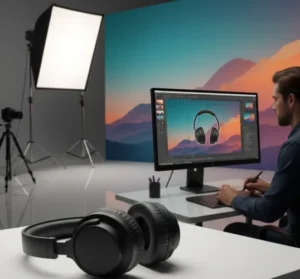 This trend also allows sellers to reuse photos for marketing campaigns or social media posts. Consistent editing styles and realistic settings maintain professionalism while attracting shoppers. Background replacement works well for clothing, home decor, and lifestyle products. Proper editing makes shadows, reflections, and lighting match the new background. By using this technique, stores can reduce the need for multiple photoshoots. Product photo editing for backgrounds saves time while boosting visual appeal.
Perfect Surface Editing for Products
Flawless surface editing removes dust, scratches, wrinkles, or other small imperfections. Product photo editing helps surfaces appear clean while keeping the product realistic. This increases the professional appearance of the image and builds buyer confidence. Subtle retouching improves details without making the product look artificial. Flawless surfaces are especially important for fashion, jewelry, and electronics. High quality editing can make even simple products look more premium.
Tips or guides for flawless surfaces:
- Remove small spots and scratches carefully
- Smooth surfaces without over editing
- Highlight textures without losing realism
- Maintain true color of the product
- Check edges for consistency
- Ensure the product looks natural and attractive
Showcasing Products Through Lifestyle Editing
 Lifestyle images help shoppers envision using the product in real life. Through product photo editing, items can be placed in natural settings, like a living room or outdoor space. Showing human interaction or practical use makes the product more relatable and appealing. It also gives context to the size, function, and style of the item. Lifestyle product photo editing is effective for clothing, furniture, gadgets, and kitchen items. These images create a stronger emotional connection with potential buyers.
Combining lifestyle images with studio shots provides a balanced presentation. Editing make sures that lighting, color, and shadows remain consistent with reality. Background elements should complement the product, not distract from it. Shoppers appreciate images that help them imagine using the product themselves. Properly edited lifestyle photos can increase engagement and encourage purchases. This trend is becoming increasingly popular as shoppers prefer realistic visualizations.
Maintaining Style in Product Photo Editing
Consistency is a major point in product photo editing trends. Makes sure that all listings share the same background, angle, and lighting style. Shoppers feel more confident in stores with uniform visuals. Maintaining a consistent style reduces visual confusion and improves overall professionalism. Editing helps align all product images with the brand’s theme. A cohesive style also simplifies updates and new product additions.
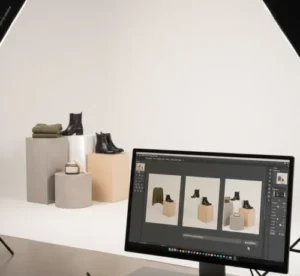 Tips or guides for consistent style:
- Apply the same background for all products
- Maintain consistent angles and composition
- Use similar lighting and shadows
- Keep color tones uniform
- Standardize text overlays or labels if used
- Review images as a set before publishing
Detailed Close-Ups
Detailed close-up images give shoppers a better understanding of a product’s quality. Product photo editing highlights textures, stitching, patterns, or intricate designs that may be hard to see in standard shots. Clear close-ups build trust, especially for high value items like jewelry or electronics. Sharp and accurate detail shots reduce returns caused by unmet expectations. Editing helps fine elements appear realistic without being exaggerated. Combining detailed shots with other images provides a complete view of the product.
Close-ups also help online shoppers compare products and make informed decisions. Attention to detail in product photo editing can set a store apart from competitors. Enhancing texture and sharpness should be done subtly to avoid unnatural appearance. For handmade or crafted products, highlighting details emphasizes quality. Close-up photos paired with lifestyle or standard images offer a balanced visual presentation. Shoppers respond positively to images that clearly show craftsmanship and features.
Shadow Free Images
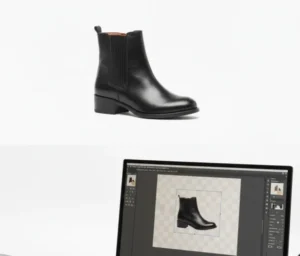 Shadow free product photo editing creates clean, catalog style images. Removing unwanted shadows makes the product stand out and appear uniform across multiple listings. This trend works well for bulk inventories or online catalogs. Editing helps maintain the product’s natural shape while making it look clean. Shadow free images also make it easier to place products on different backgrounds. Clear and simple visuals increase the overall appeal and professionalism of the store.
Tips or guides for shadow free images:
- Remove shadows without flattening the product
- Keep edges natural and defined
- Ensure color accuracy after editing
- Check that lighting looks consistent
- Use shadow-free images for bulk listings
- Pair with lifestyle images for a complete presentation
Product Photo Editing for Multi Angle Shots
Using the 360 degree product photo editing allows shoppers to see all angles of an item. Combining multiple shots into a smooth rotation gives a realistic view and increases confidence in purchase decisions. Editing helps colors, shadows, and lighting remain consistent across frames. This interactive approach helps shoppers examine details that are otherwise hidden in standard images. 360 degree views are ideal for electronics, fashion accessories, or products with complex designs. These images provide a richer experience that reduces uncertainty and encourages purchases.
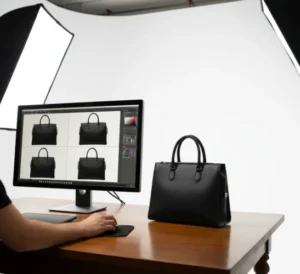 Setting up 360 degree images requires careful planning and attention to detail. Product photo editing can correct minor inconsistencies between frames for a seamless experience. This technique can improve engagement on websites and increase conversion rates. When combined with traditional images, it provides a full view of the product. Editing makes sure every angle looks clean and professional. 360-degree product photo editing is becoming a preferred trend for stores wanting to stand out online.
Conclusion
High-quality product images are important for attracting shoppers and building trust. Following the latest product photo editing trends helps transform ordinary photos into neat visuals that highlight every detail. From clean backgrounds to lifestyle shots and 360 degree views, each editing technique plays a role in making products more appealing. Consistent styles, accurate colors, and detailed close-ups give shoppers confidence and reduce uncertainty when buying. These trends not only improve the look of your store but can also increase sales and customer satisfaction. By keeping up with the latest product photo editing practices, sellers can stay competitive and present their products in the best possible way.
Read Next: The Right Way To Outsource Customer Service